Aug 14, 2018

Two Big Announcements: The Evolution of Old Favorites

Welcome back to school! Over the summer, there were a couple of additions to some of our favorite tools that I will make mention of here. To avoid information overload throughout the year, I will work to curate those resources that speak to me and/or types of resources that you are seeking based on your requests.

First, Khan Academy has an app now and it is for kids too! Young kids, that is. If you download the free app, your children can start learning independently in a variety of subjects, including Computer Science. We use Khan Academy in 5th grade technology exploratory as we gain exposure to JavaScript. Because Khan Academy now supports every age learner in our school (including adult learners) in an easy to use app, please remember this resource as a great center activity or form of enrichment.


Next, Tumblebooks has rolled out TumbleMath. Fun, right?! TumbleMath includes picture books and story books that are all about math, as well as quizzes and lesson plans. This is another great tool for a center activity or enrichment. It is free from now until the end of November. If you would like to check it out and pilot it in your classroom, please let me know. 


This year and next, I will be serving on a national committee identifying the best websites and apps for teaching and learning through the American Association of School Librarians. I will continue to send along new resources and I look forward to learning from each of you about what you love, don't love, and about what you discover in your classroom. I am looking forward to a great year ahead!

Apr 10, 2018

Have you heard?

So happy to discover Padlet that I decided to give the founder, Nitesh Goel, a piggy back ride! (2014)

Last week, while at the Texas Library Association Annual Conference, there was a lot of buzz surrounding the demise of Padlet as a free service. Folks are pretty devastated about this, as is evident from all the Twitter chatter. Going forward, you can have up to three free Padlet walls but this will not impact your pre-existing Padlet walls. If you currently have eight Padlet walls, then you are eligible for a total of eleven, without having to pay. Otherwise, it is $99/year or $8.95/month. I know one of the best features of Padlet is its ease of use. Now that we have some rules to follow, as can be imagined, people are disappointed. I completely understand why Padlet made the change but I understand the sadness too. 

In the meantime, however, there are some alternatives to Padlet. Many of these alternatives have similar restrictions as to how many "walls" you can create. Some of the most commonly mentioned replacements are Lino (you can see my example here), Wakelet, Dotstorming, and Flipgrid (talk to me about this if you are interested in this one...it is awesome!). Another tool similar to Padlet that is useful is Sway by Microsoft. You can see my example here and edit it too. To use Sway, you do have to create a Microsoft account but I was able to use my Davis email address to do so. If you create your Sway so that anyone can edit (similar to a Google doc), then collaborators can add text, images, and links to videos. Our 4th grade team started using it this year and are really enjoying it. 

As we mourn the loss of free Padlet, we are reminded that when one door closes, another one opens. Sometimes, we decide to roll with the changes and adjust accordingly. Perhaps some of us will continue to forge ahead using Padlet and others will be inspired to try something new. The good news: the choice is yours. 

Mar 13, 2018

Digital Literacy: Teacher Cast

Image result for literacy quotes
Today's Tuesday tech tip is both a tool and a thought. I just came back from the most mind bending conference and walked away with so much new knowledge that I am excited to dole out. One key message at SxSWEDU was this: Digital Literacy must happen at school.  If you are wondering what digital literacy is, the American Library Association defines it as "the ability to use information and communication technologies to find, evaluate, create, and communicate information, requiring both cognitive and technical skills." All teachers have a responsibility to teach kids not only the skills to critically assess the information that they access but to help shape what they do with that information. Danah Boyd, author of It's Complicated, a book that through research uncovers myths about teens and social media, stirred up this conversation at SxSWEDU. She reminded us that students will choose to use the information they seek for good or for bad. What role will we as teachers play in how we influence their choices in relation to media interactions? What kind of content will they create? Are we growing kids that will spread positive messages or will they yield their digital literacy power to do harm? This has to be a part of the conversation. 

Where do we start? There are so many powerful resources for teachers, both in human form and online but one that I learned about is called Teacher Cast. It is an online network of teachers helping teachers. Much of the content is focused on using technology in the classroom to create content. As a teacher, if we don't see the value in this yet, we need to start considering our own blind spots. Kids will create their own content. What role will we play in shaping the type of content they create and how they choose to use it? We have a responsibility to be a positive influence on these types of choices that our students make. It's what we do.

Teacher cast provides podcasts, videos, blogs, and other resources that help craft meaningful technology-infused practices into student learning. It's meant to empower teachers to feel more comfortable with their technology usage so they can steer students in the right directions. Check it out. I don't think you will be disappointed.

Feb 27, 2018

Sketch Nation


This is another great technology tool that I believe I discovered through the #TCEA hashtag, similar to last week's tip. I seek creative "brain breaks" for my students in upper elementary when they are working on intense coding projects to reel them back into another reality, to help lighten the mood, and to remind them to take breaks. While not an unplugged activity, Sketchnation.com (also an app) gives the students a chance to remain in the coding zone but perhaps with a lighter approach. 

Sketch Nation App allows users to create their own games. They can establish the scoring system, the levels, the objective, the graphics, and more. It's "coding lite" though as the coding piece is really done for them but they are choosing the game structure. It's a fun way to think about gaming beyond the user's experience and more about the programmer's method. 

Allow your students to give it a try after an arduous test and play each other's games. What a sweet reward that will keep them mentally engaged and focused on a task. Students will love the opportunity to create their own online games in the classroom.

Feb 20, 2018

Classroom Management with your Computer

In following the #TCEA conference hashtag recently, I discovered a host of new technology tools that I really like. One that seems very useful for teaching students of any age is called classroomscreen.com . It works in both Spanish and Hebrew too! When you go to the link (no log in required), you can select a background of your choice and use classroomscreen.com to project a variety of useful tools. For example, it can do the following:

  • pick a random name and roll the dice to see who presents next, leads the students in a song, or anything else that requires a class leader to start a task
  • check the noise level (that you set) and alert the class when it goes beyond your expected noise level
  • generate a QR code from a link that you input for your kids to scan 
  • draw directly onto the screen using the whiteboard feature
  • type instructions or any text for that matter
  • set a reminder for how you want your students to work: silent, whisper, ask a neighbor or work together
  • set a timer
  • show the clock and the calendar
  • use the traffic light so that you can select red when you want them to stop something, green when you want them to begin something and orange when you want them to prepare to stop
  • calculate numbers

Any of these features can be put onto the board together as well. As a reminder, it recognizes foreign languages too! Here is a screenshot to show you what it can look like:


Feb 7, 2018

Scavenger Hunt for the Masses: GooseChase


How cool is this?! What a great way to gamify your classroom learning! A scavenger hunt for the masses! It is called Goosechase. It is free for up to three teams so you can divide your class accordingly and try it out. You can use it on field trips, in the classroom, or for team building. The best part too is that they have a game library so rather than create your own, you can try it out by duplicating a previously created game and then if you wish, you can customize it to meet your own needs. For example, I found an awesome one on simple machines (ahem 2nd grade) that was already created and situated in Goosechase's game library. If you are looking for fun ways to gamify the learning and go beyond Kahoot, this is a great option!

Oct 24, 2017

It's An Artistic Bunch!


Sometimes we are reminded that we don't know what we don't know. I recently realized that faculty may not be aware of the amazing digital portfolios that our students are creating on Artsonia, which is essentially the world's largest kids' art museum. Our fabulous art teachers have been showcasing our students work on Artsonia for years. I mention this because as a teacher, you have the ability for your students to continue to grow their artistic portfolio in Artsonia as well. If your students create a visual project in your particular class, they can upload it via Artsonia. This is also a great place for students to pull from to add to their middle school digital portfolios that they will take with them when they graduate. If you haven't seen one of our student portfolios on Artsonia, it is worth checking out! To see the art projects that have been uploaded since this school year started, click here. It is so incredibly impressive! 

Sep 19, 2017

Listen Up!

Today's tech tip is all about listening and listening wisely. The resource is called Listenwise and it was brought to my attention by one of our esteemed colleagues who loves art and language arts and happens to teach 6th graders. Listenwise is described as being an award-winning listening platform harnessing the power of listening to advance literacy. It's goal is to develop good listeners so they can become good readers. Teachers can use Listenwise to introduce topics, listen as a class to scaffold and discuss topics, support students who need additional literacy practice, explore content with curricular connections, and assess listening comprehension. There is a huge section on current events in which students can choose the current event that most interests them by reading a short blurb and then listen to the entire current event. What an amazing alternative for students learning about current events in school! 

Listenwise also has listening challenges so students can initially test their listening comprehension. Listenwise can also be shared with Google Classroom. Since we are working with students beginning in fourth grade to create their own podcasts, this would be a great literacy center activity too. Although Listenwise curates the podcasts, teachers should further curate them to ensure they are appropriate for their age group as some of the podcasts are more suitable for older students. This is a great find! 

Aug 29, 2017

Teach Your Children Well

Disaster has struck in Houston and you can be sure your students are talking about it. How can we harness those conversations into powerful teachable moments in which we not only consider the charitable acts of giving but also, how we can learn from our current state of events? Luckily, the American Association of School Librarians is always on the prowl for useful new apps and has discovered one entitled Disaster Detective. How timely. 

Disaster Detective is a free app developed by the Smithsonian Institution that teaches kids how to prepare for disasters. Analyzing data using tools such as Doppler radar, anemometers, barometers, and seismometers, students learn how to consider past and current data to make predictions. The app was created with middle schoolers in mind but can actually be used with any age. What better time than the present to work this into your learning? For another great resource on hurricanes, click the image below to view a movie and lessons via BrainPop:


Google Gold Mine


Image result for Google computer screen
Today's Tech Tip is a gold mine. It's also new. It's called Google's Applied Digital Skills. Sounds boring but it is not! It is an entire curriculum that you can use with upper elementary students through high school to teach kids how to be successful online. It helps groom them to be successful in representing themselves "professionally". The activities are awesome in that they are relevant to the projects that you are currently doing with your students. Here are just a few examples:

  • Interactivity in Learning: Students are taught how to create an interactive If/Then presentation in Google Slides. Very similar to Choose Your Own Adventure. How fun would this be to show what they know?
  • Test for Credibility: Students choose a topic to research (or you give them choices) and using that topic, they are walked through the process of evaluating credible sources. Then, they are given the opportunity to learn a little coding to show how websites (credible or not) are created to look appealing. 
  • Create an Editing Tool with Programming: Students are taught how to program their own tool to identify overused words in their Google docs. We all remember the overuse of the word "sardonic" in a trilogy that she not be named here:) Help students avoid that same over usage by creating their own editing tool while developing computer skills at the same time!
  • Math and Movies Can Go Together: Students are taught how to predict the next box office hit analyzing data and then presenting that data in ways that are amazingly creative while developing new technology skills.
I've only listed four of many amazingly relevant, fun and engaging activities that speak to so many of your lessons. Consider how you can integrate these valuable projects into your teaching! I know I will be tackling some of these in my classes! Click here to see the full curriculum.

Aug 22, 2017

See It with SeeSaw

Welcome back to a new school year! I assisted a teacher yesterday with this tool that I have been using with my 5th graders since last year and thought I would share with the rest of you. The tool is called SeeSaw and it is a great online collaboration tool as well as a fantastic way to show off what the students are doing in your classroom. As you can see from the screenshot below, students can post their work (images, video, text) and others can comment on it. There is also a journal feature, a blog feature, and announcement feature. When I post a message to my students in SeeSaw (I can select if I want the message to go to one student, a few students or the entire class) and I can invite parents to be able to view their work as well. I also love the easy set up to create a class in SeeSaw as well as the ability to email the students with instructions to follow to join our SeeSaw class. SeeSaw makes it quick and easy for teachers, students, and parents to join.

May 16, 2017

CSI: Mathematics


Looking for online math enrichment for grades K thru 8th? Georgia Tech has put together an impressive resource. It is called CSI: Mathematics. Click here to check it out! Advertised as a mathematics resource for teachers, students and parents, it is a free list with links to useful activities and games organized by area of focus. It is great for enrichment recommendations for parents to share with their children, center activities, homework practice, and indoor recess options. CSI: Mathematics was created by the Center for Education Integrating Science, Math, and Computing (CEISMC) at Georgia Tech, in partnership with the Georgia Department of Education. Enjoy!

May 10, 2017

You're Famous!


You may have noticed that I haven't shared many Tuesday Tech Tips lately. It's not an accident either. Truthfully, I have struggled to identify tech tips that are new and exciting. Rather than create one just for the sake of sharing well, that didn't feel very authentic. Why bombard your inbox unnecessarily? It wasn't until today that I came across something fun, easy and probably quite useful. That something is called PhotoFunia. Plaster your face or anyone else's face inside a host of fun, creative designs (see my cute friend's face above on the billboard). If you don't like the idea of creating fun images, interesting text-filled designs can be created too. Check it out:

Even better, create an unusual scene using multiple subjects, such as this one:
Have fun with Photofunia by creating masterful photos for Young Authors Night, book reports, presentations, back to school events, digital portfolios, math museums, community helper projects, or whatever else aligns with your curriculum. Warning: a lot of time can be spent getting lost in the creative spark of PhotoFunia!


Jan 17, 2017

Toontastic Turns Fantastic

A number of us have used the Toontastic app over the years. The latest and greatest addition to Toontastic, however, is that now you and your students can create cartoons with this free app in 3D! Fantastic for learning a foreign language, learning parts of speech, creating word problems, enhancing reading groups, and more. In fact, I made one that you are welcome to check out here. I warn you: this is another episode of me embarrassing myself but we do it for the kids, right?


It couldn't be easier so please try it out, integrate it into your learning, and have fun. 

Dec 13, 2016

Dare to Wander

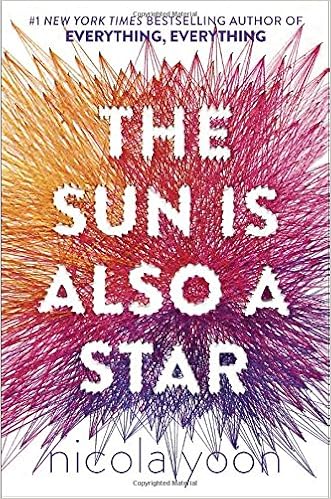
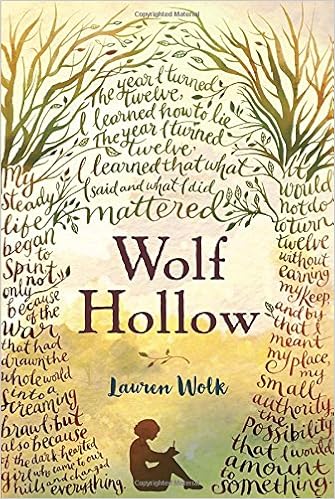
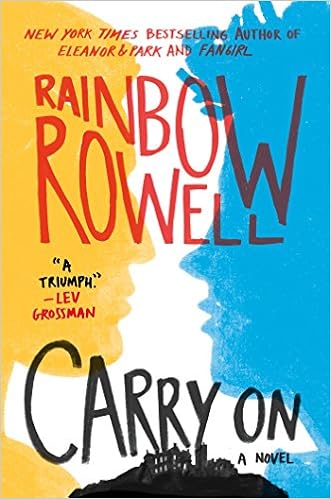
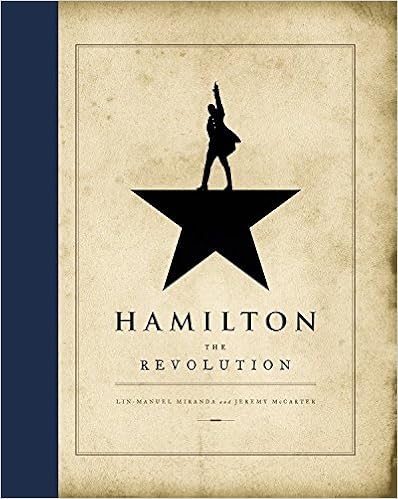
I should apologize in advance for what's about to happen on this page because today's tech tip isn't really a tech tip at all. Although it is a plug and technology quite often requires a plug. If you haven't checked out a book from either of our media centers but especially our middle school media center, then you are truly missing out. I focus on our middle school media center because chances are if you are reading this, you are an adult. Our middle school media center has so much for everyone. I think of it as a hidden gem. I've been thinking about this a lot lately because each day when I wonder in there, I discover at least five more great books that I've yet to read but have heard about. No joke. To prove my point, here are the books that I came across today that I have since added to my "to read" list:


https://www.amazon.com/Holding-Up-Universe-Jennifer-Niven/dp/0385755929/ref=sr_1_1?ie=UTF8&qid=1481659991&sr=8-1&keywords=holding+up+the+universe


And then of course there are more:


I list just a few above but there are so many more new books sitting in our middle school media center that have received recent accolades. Because of the amazing boutique collection that lives in the middle school, it is definitely worth wandering in there yourself. I dare you.

Nov 29, 2016

No Travel Budget? No Worries.


There is that saying that when we reach third grade, we have transformed from learning to read into reading to learn. This is immediately what I thought of when I came across Google's Cultural Institute. It is amazing. Everyday the Google Cultural Institute shares stories from around the world that focus on art and culture. Not only are they stories, but they are designed so that you become immersed in an experience. For example, included is a story about the famous artist Johannes Vermeer's painting entitled Little Street. There is a mystery surrounding where this little street is located. With Google's Cultural Institute, the viewer is immersed in a world that guides us to unlock this mystery. Check it out here. It's worth it. Using 3D street views, close ups of Vermeer's artwork, and interesting storytelling, we can't help but feel we are on our way to discovering our own little street. 

In addition to art, fashion, architecture, culture, and inventors, Google's Cultural Institute provides an opportunity to travel the world. What an amazing resource to integrate into a social studies lesson, a biography unit, a center activity, or simply create a virtual field trip experience amped up with a #TLAP style approach.  Did I mention that in addition to being accessible as a website, Google's Cultural Institute is also accessible through a free app? Care to walk the ruins of Machu Picchu? Your students can do so here and journey to many other places with the help of Google's Cultural Institute. Don't worry if your field trip budget is lacking, take your students around the world with this resource. 

Oct 25, 2016

Playing on the Math Playground


Let your students roam wild on this playground. Created for elementary and middle school students, Math Playground is filled with fun logic games, word problems and videos.The videos make for a great entree into a new lesson while the games help reinforce previously learned concepts. Looking for an enrichment tool or a strong center activity? Then I suggest checking out Math Playground. No recess duty required.

Oct 18, 2016

Election Season!

Image result for president election
I like to use this forum to share a few of my favorite things. This morning, I was reminded that one of my favorite things is School Library Journal. While the title might sound old school, the publication itself is genius. It is where you will find nuggets of information about education trends, tech tools, and of course great blogs, books, DVDs, websites, and apps. This month's issue has a useful article about strong election resources. 

Looking for a FUN (let me emphasize FUN) way for your students to relate to and understand the complexities of a presidential election? If so, then iCivics.org is a winner. Students can play Win the White House and to ensure it is age appropriate, there is a different game for elementary, middle and high school students. It's one of those websites that students explore but don't realize that they are learning at the same time. 

Math teachers will find this next resource to be a great way to make cross curricular connections. The website called FiveThirtyEight  is filled with fun infographics with up to the minute updates about election predictions. School Library Journal suggests using this to have students create a current events math mash-up. Making this an activity in which no words are spoken aloud and students can only communicate through their visual creations would add an interesting dimension to this activity. 

An extremely powerful resource is LivingRoomCandidate.org. Going back to 1952, students can view commercials and videos highlighting the candidates various campaigns as well as their opponents. It makes for an awesome compare and contrast activity and a great way to analyze how these ads may or may not have impacted the outcomes. 

Finally, 270towin.com is an interactive electoral college map. Students can click on the different states and make their own election predictions. They can then share their own forecast too. 

There are a lot of options to teach students about the power of exercising one's right to vote. Integrating the election into your curriculum doesn't have to be controversial. Using some of these resources in creative ways can make for powerful and school appropriate learning opportunities.

Oct 11, 2016

Grateful for Gratisography

While scrolling through my PLN on Twitter, I came across this awesome website, Gratisography. If you haven't noticed by now, I like to have a presentation for just about everything. I am a Google Slides addict I suppose. As a result, I am always seeking high resolution creative commons licensed images. It is a reoccurring nightmare of mine to be presenting in front of a large audience on the topic of digital citizenship only to discover that I am not using "legal" images. As a result, I am on a routine mission to curate presentation-worthy images. Ever since the discovery of Gratisography, it has been a go-to resource for thought-provoking images to help illustrate a point. 
How I Must Look After Waking From My Nightmare, image courtesy of Gratisography
When looking for crisp, clear, creative images, check out Gratisography. Don't forget, however, that you still have to cite your source. 


Sep 13, 2016

Purify Your YouTube Videos

Feeling Embarrassed

Have you ever been embarrassed when you excitedly pull up a YouTube video to share with your students or parents and before you can stop it, an ad comes up? This has certainly happened to me before and in fact, it has probably happened to me in front of each of you. Well, never fear. Now you can purify your YouTube videos with View Pure. Simply copy and paste the YouTube video link into View Pure and it will take the advertisements right out of your video. A simple yet powerful tool to add to your toolbox.